
If you are looking for easy tech guides for beginners, you’re probably trying to understand technology without feeling confused or overwhelmed. That’s completely normal. Everyone starts from zero, and technology only feels “hard” when it is not explained in a simple, practical way.
So in this guide, I’ll talk to you like a friend and walk you through everything step by step—no complicated terms, no confusing explanations, just real and easy learning.
Why You Need Easy Tech Guides for Beginners

Let’s be honest—technology is everywhere now. You use it when you:
- Unlock your phone
- Watch YouTube
- Send a WhatsApp message
- Search something on Google
- Use a computer or laptop
But when you are new, all of this can feel a bit confusing.
That’s exactly why easy tech guides for beginners are important. They:
- Break complex topics into simple steps
- Help you learn without pressure
- Build your confidence slowly
- Save you from feeling lost or stuck
Think of it like learning to ride a bicycle. At first, you need support, but later it becomes natural.
Step 1: Understanding Your Smartphone Properly
Your smartphone is your main tech tool, so let’s start here.
Basic things you should learn:
- Turning your phone on and off
- Unlocking with password, PIN, or fingerprint
- Making and receiving calls
- Sending messages
- Connecting to Wi-Fi and mobile data
App basics:
- How to open apps
- How to download apps from Play Store or App Store
- How to delete apps you don’t need
Simple tip:
Don’t try to learn everything in one day. Just explore one feature daily. That’s how real progress happens.
Step 2: Learning Computers and Laptops Easily
Computers may look difficult at first, but they are actually very simple once you understand the basics.
Start with these:
- Turning the computer on and shutting it down properly
- Using a mouse (click, right-click, scroll)
- Typing on the keyboard
- Opening folders and files
- Using basic programs like Notepad or browser
File understanding:
Think of your computer like a cupboard:
- Folders = drawers
- Files = items inside drawers
Once you understand this, everything becomes easier.
Step 3: Internet Basics You Must Know
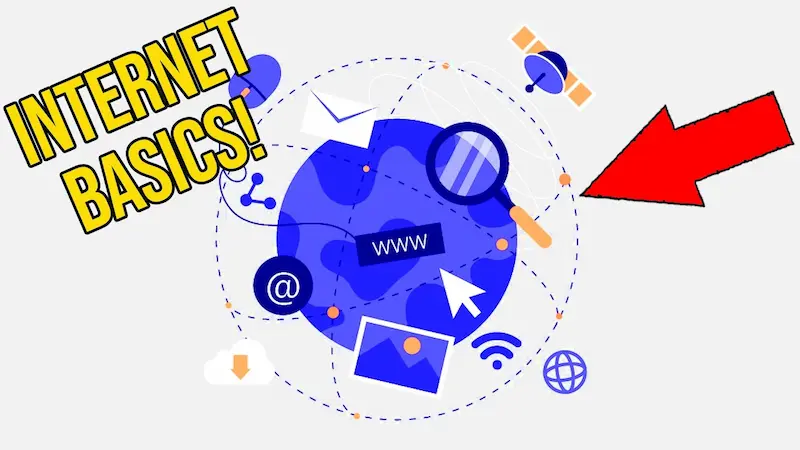
The internet is not magic—it is just a connection between devices around the world.
With easy tech guides for beginners, you should first learn:
1. Browsing the Internet
- Open Chrome or any browser
- Type what you want in Google
- Click the correct result
2. Understanding websites
Websites are like online pages that give information or services.
3. Email basics
- Sending emails
- Receiving emails
- Attaching files
4. Staying safe online
- Don’t open unknown links
- Avoid fake websites
- Don’t share personal information easily
Step 4: Must-Know Apps for Beginners
Apps are tools that make your life easier. You don’t need to learn all apps—just start with important ones.
Social apps:
- WhatsApp (chatting and calling)
- Facebook / Instagram (social media)
Learning apps:
- YouTube (video learning)
- Google (searching anything)
Useful apps:
- Maps (navigation)
- Notes (saving information)
- Camera (photos and videos)
Simple advice:
Focus on 2–3 apps first. Master them before moving forward.
You may also like to read this:
Honest Smartphone Reviews 2026: Real Buying Guide
Latest Gadget Review and Comparison For Smart Buyers
Budget Gadgets Review Guide For Smart Buying in 2026 Now
Top Gadgets Reviews For Students Best Study Tech
Which Gadget Is Best To Buy in 2026 Complete Guide
Step 5: Understanding Settings (Very Important)
Most beginners ignore settings, but it’s actually very important.
In settings you can:
- Change brightness
- Turn Wi-Fi on/off
- Adjust sound
- Manage storage
- Set privacy options
Take your time exploring settings slowly. Don’t be afraid to click and see what happens.
Step 6: Basic Tech Safety Rules
When using technology, safety is just as important as learning.
Follow these simple rules:
- Use strong passwords
- Never share OTPs or passwords
- Avoid unknown links or downloads
- Keep your phone and apps updated
- Use screen lock protection
These small habits protect you from many online problems.
Step 7: How to Learn Faster as a Beginner
If you want to improve quickly, here’s what actually works:
1. Practice daily
Even 15–20 minutes daily is enough.
2. Learn one thing at a time
Don’t try to learn everything together.
3. Watch simple tutorials
Choose beginner-friendly videos, not advanced ones.
4. Don’t fear mistakes
Mistakes are part of learning. Every expert was once a beginner.
5. Ask questions
If something is confusing, ask someone or search it online.
Step 8: Common Beginner Mistakes to Avoid
Many beginners struggle because they:
- Try to learn too fast
- Skip basics and jump to advanced topics
- Get scared of clicking buttons
- Don’t practice enough
Avoid these mistakes, and your learning journey becomes much easier.
Final Thoughts
Learning technology is not difficult if you follow the right path. With proper easy tech guides for beginners, you can slowly build your confidence and understand phones, computers, the internet, and apps without stress.
Just remember—don’t rush. Take small steps every day. One day, things that feel complicated today will become completely normal for you.
Stay patient, stay curious, and keep practicing—you’ve got this.
FAQs – Easy Tech Guides for Beginners
1. What are easy tech guides for beginners?
Easy tech guides for beginners are simple step-by-step instructions that help new users understand technology like smartphones, computers, apps, and the internet without using difficult technical terms.
2. Who can use easy tech guides for beginners?
Anyone who is new to technology can use them, especially students, older adults, or people who have never used smartphones or computers before.
3. Do I need prior knowledge to follow beginner tech guides?
No, you don’t need any prior knowledge. These guides are designed to start from the very basics and slowly build your understanding step by step.
4. How long does it take to learn basic technology?
It depends on your practice. If you spend a little time every day, you can learn basic tech skills in a few weeks. Consistency is more important than speed.
5. What should I learn first as a beginner?
Start with:
Using a smartphone
Basic internet browsing
Sending messages and emails
Using simple apps like WhatsApp and YouTube